Unit Design
In this section, we describe how to configure or create unit design.
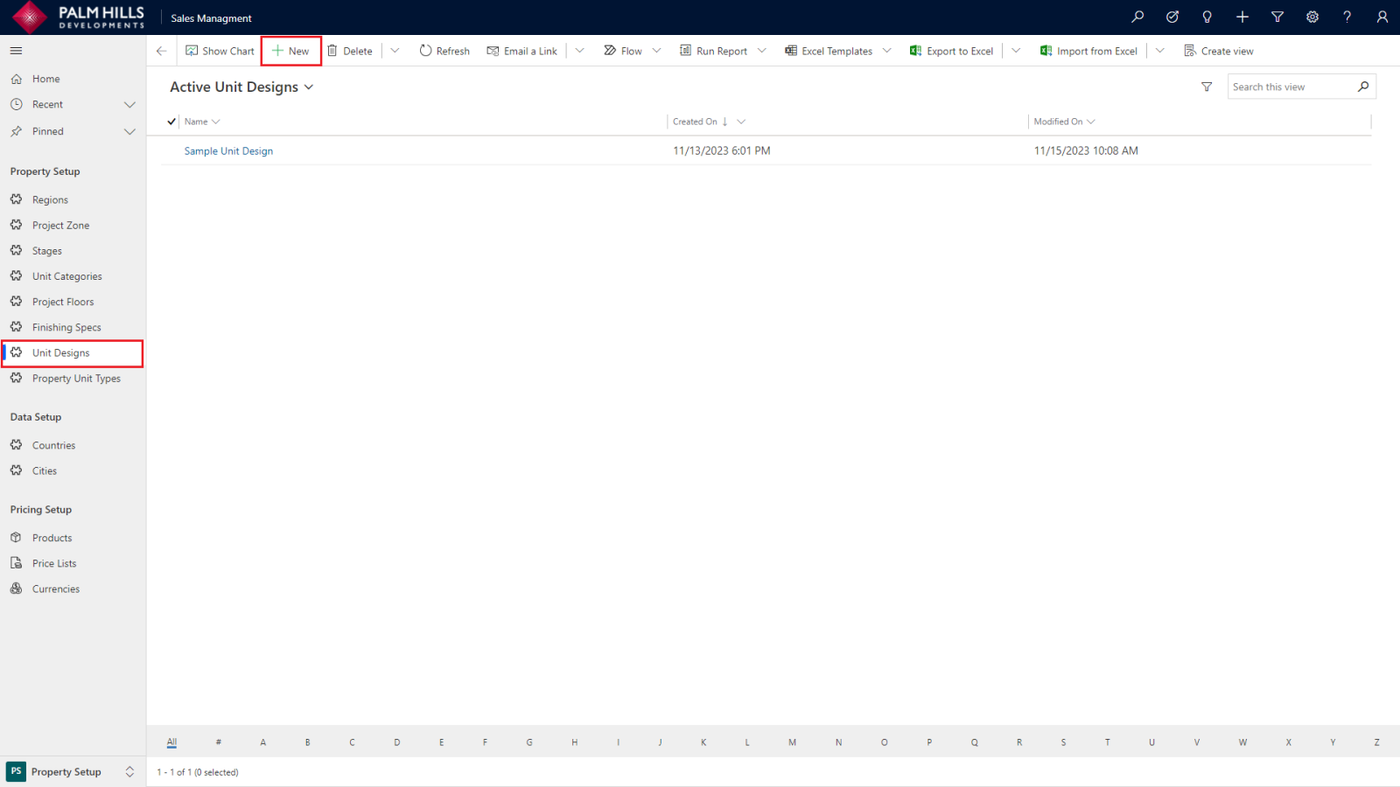
To insert an image URL for the unit design, navigate to the unit design section and click on the 'New' button.
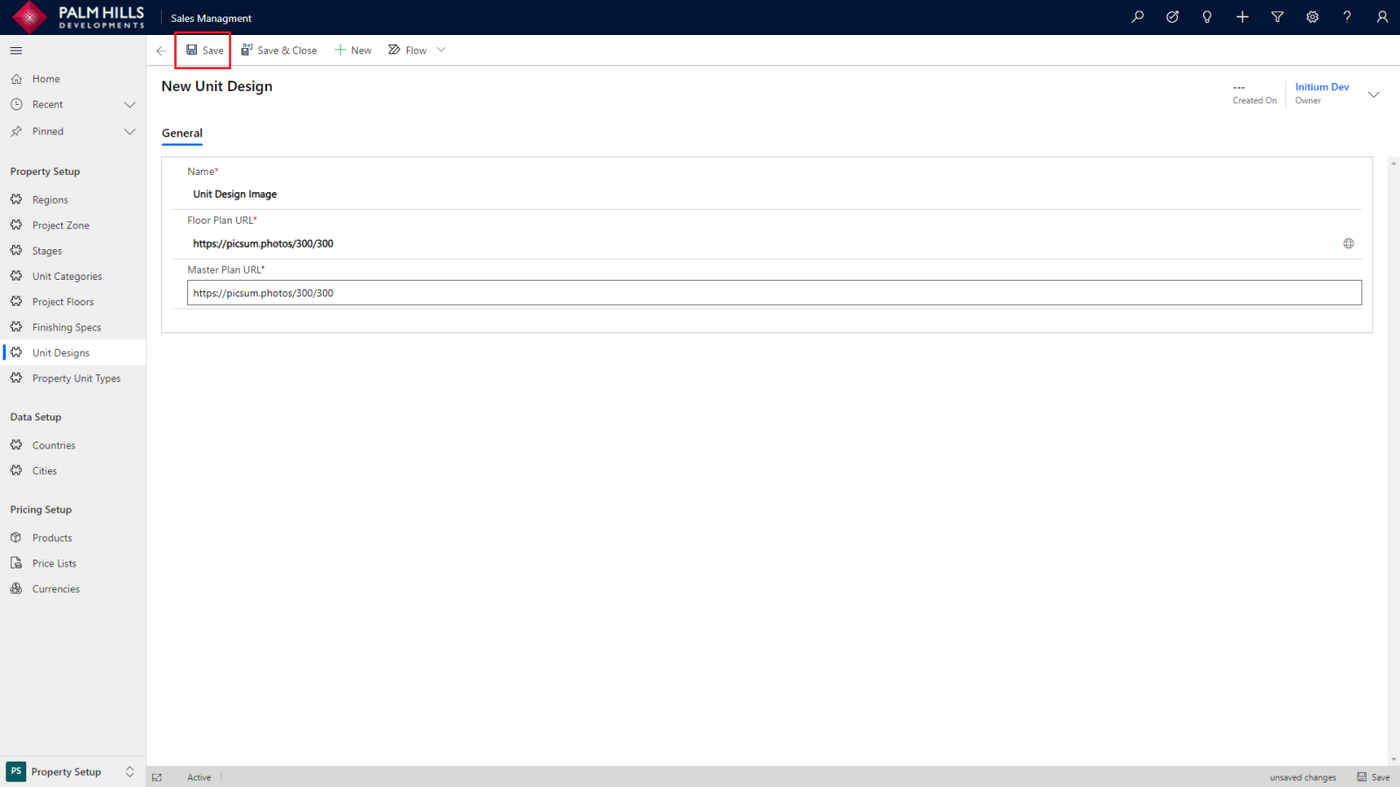
After clicking ' New ' , enter the name and URL of the unit design image, then click the 'Save' button.
Update Unit Design
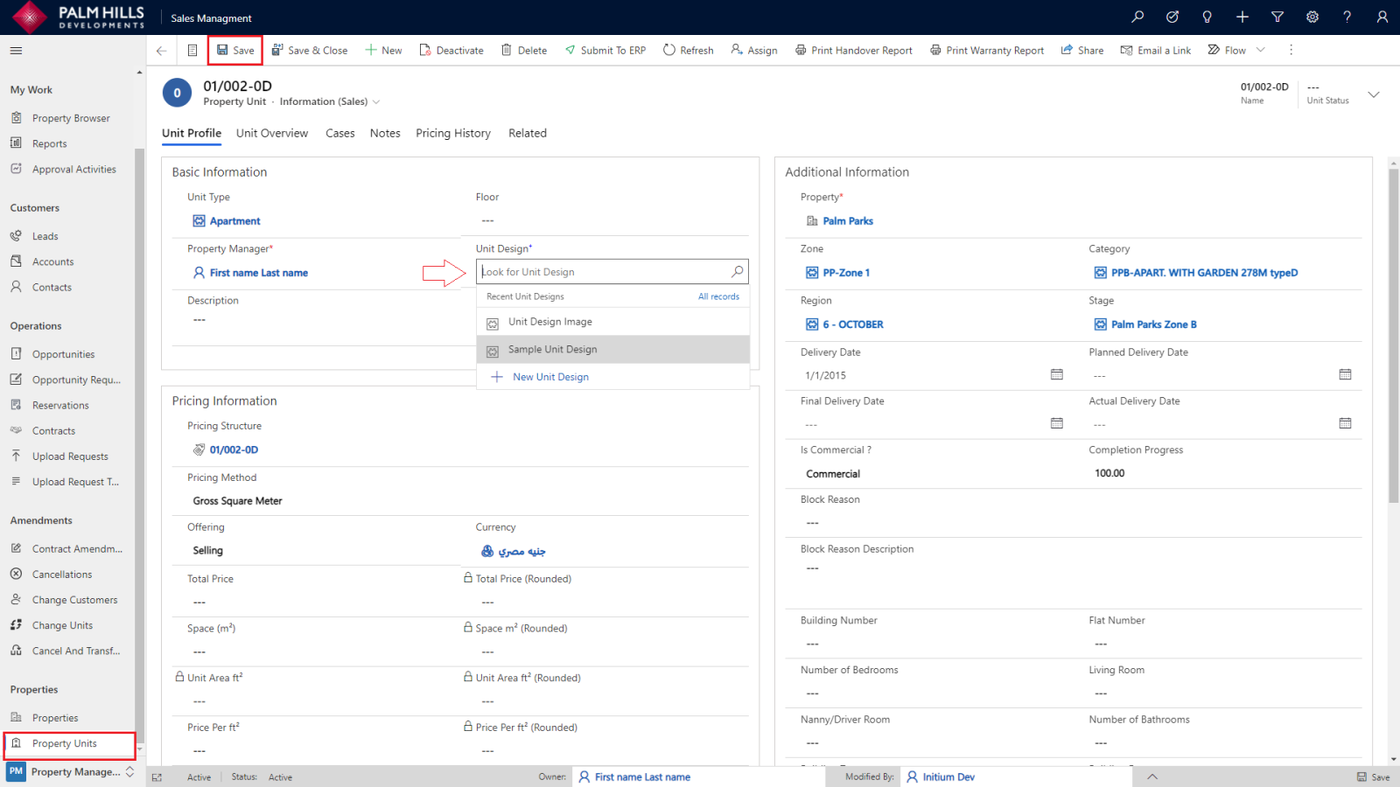
To update the unit design for a specific unit, navigate to the 'Unit' section, select the unit, and in the 'Unit Design' field, choose the previously created unit design, as shown below.
Bulk Update Unit Design
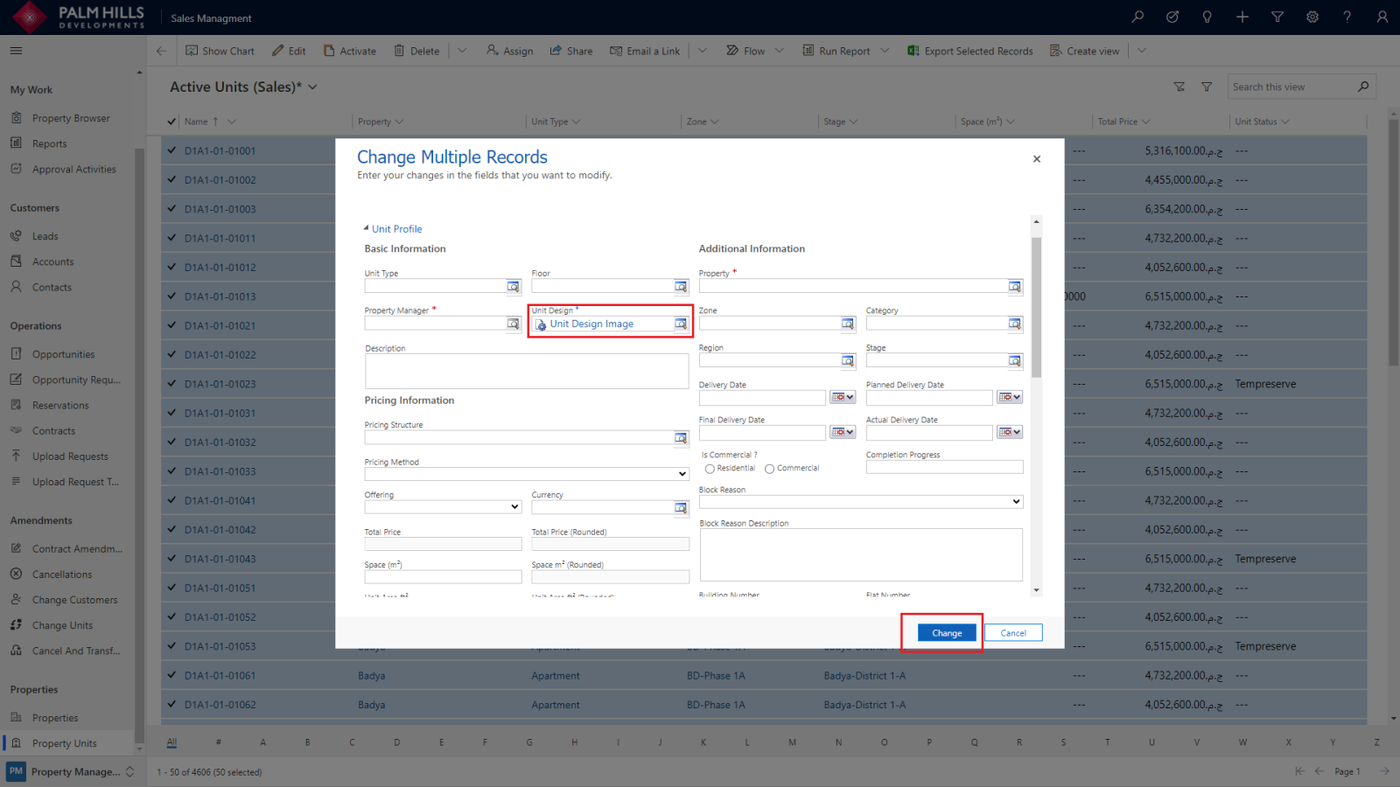
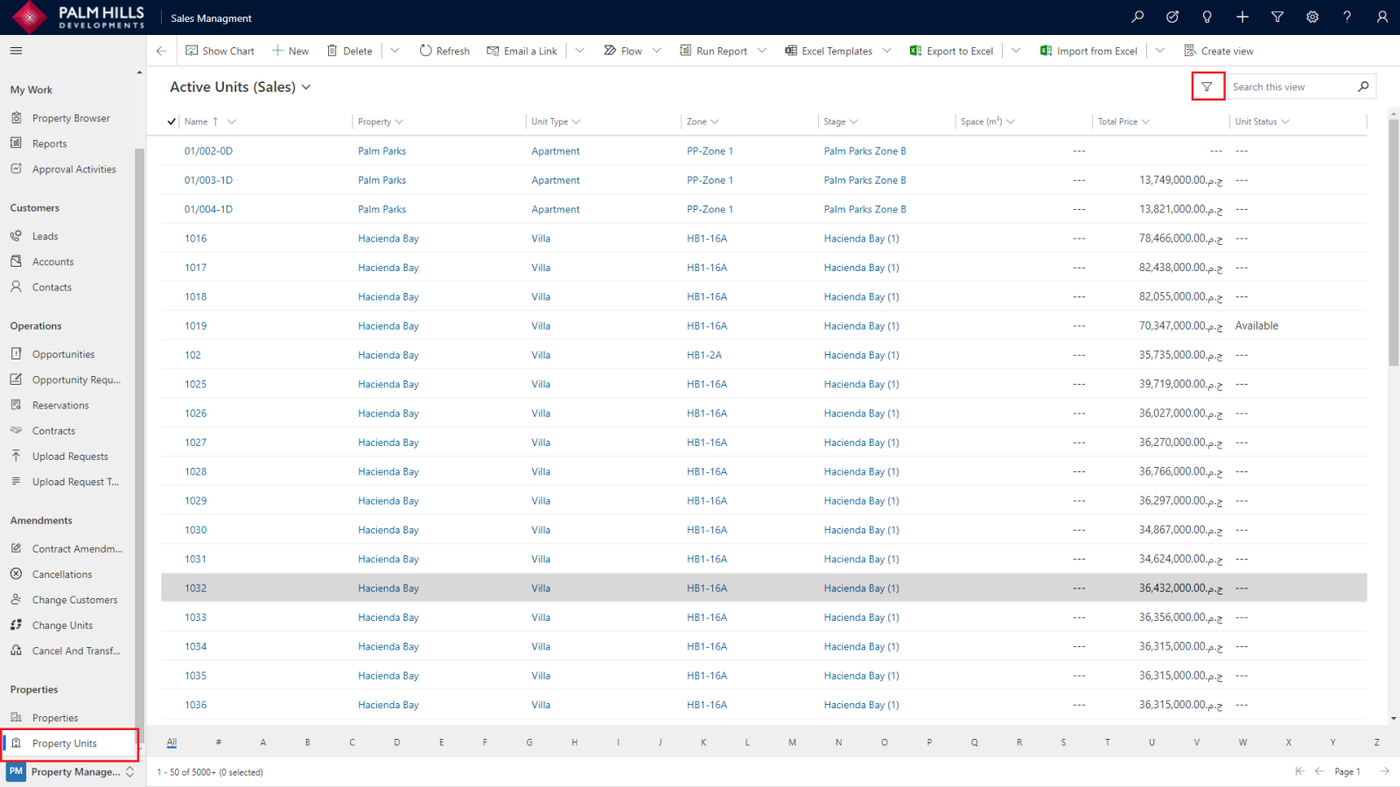
To perform a bulk update for a collection of units with a specific unit design, go to the 'Unit' section and utilize the units filter from the 'Filter' button.
After setting your filter criteria, click on the 'Select all' button, and then proceed to click on the 'Edit' button.
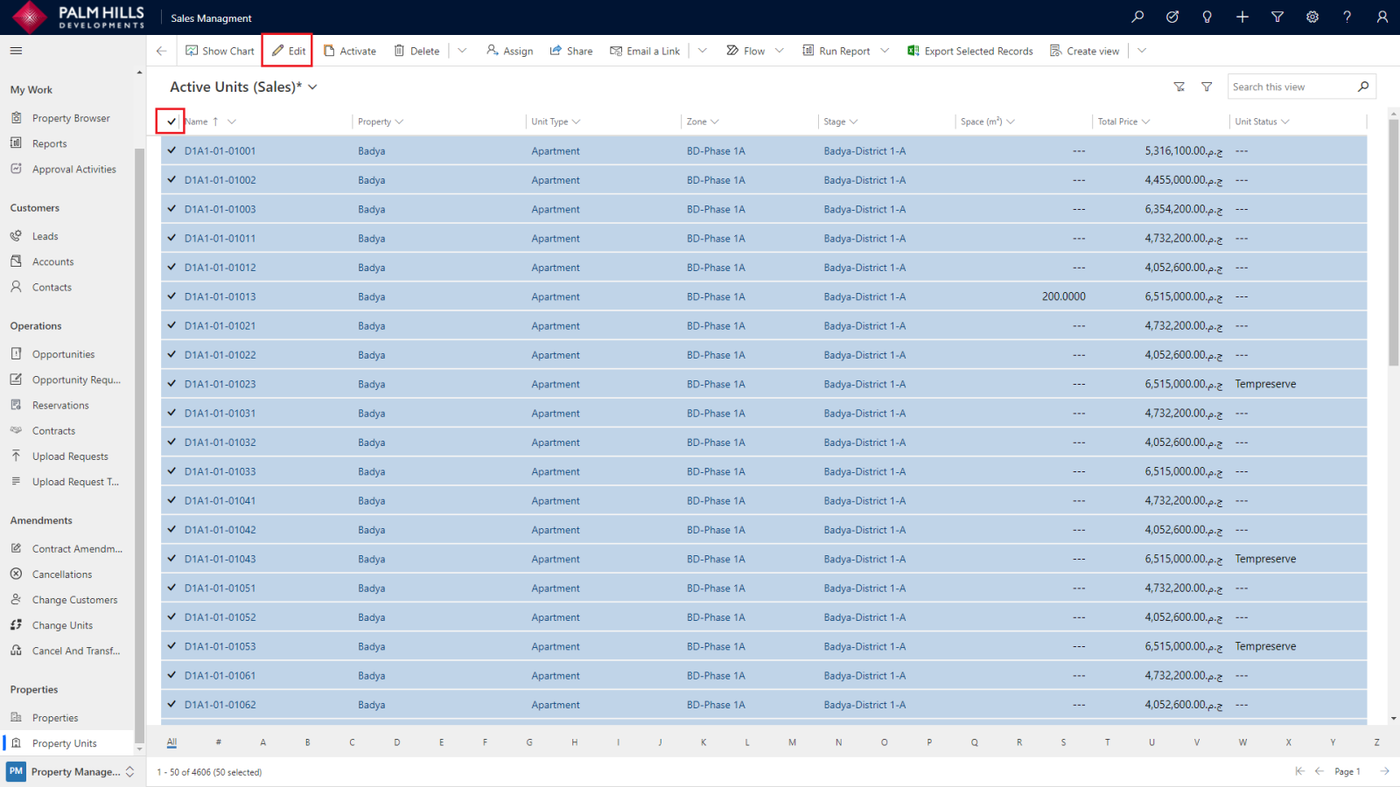
Choose Unit Design, then click the 'Change' button that will change all selected units.