Property Browser
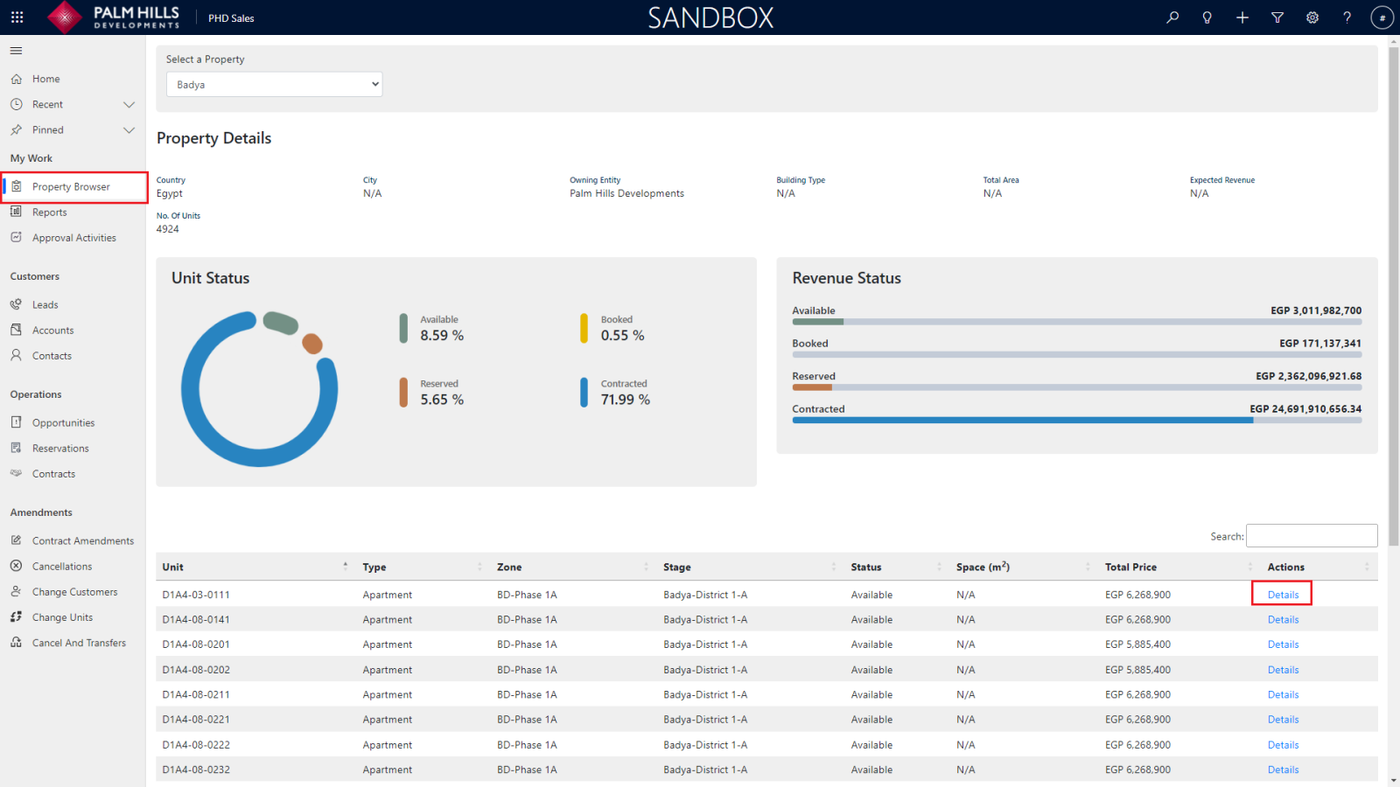
This section describes property browser component which conclude each property details along with units, status, and revenue.
Property Details
As shown in the figure, you can view charts representing the percentages of Available, Booked, Reserved, and Contracted units. Additionally, in the table, you can see available units related to the property, such as Badya. Clicking on 'Details' allows you to navigate to more detailed information about the unit.
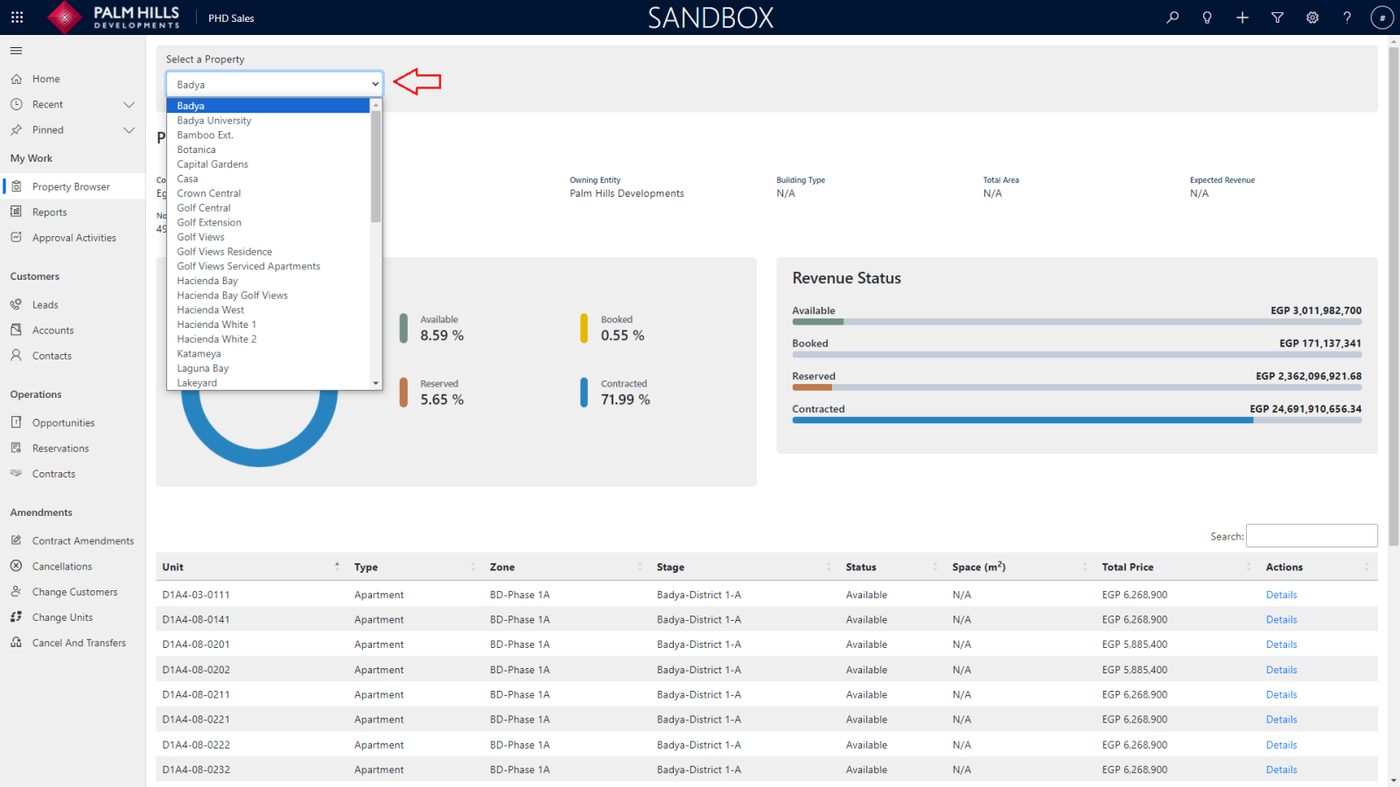
You can select a different property to show another property from this select list.
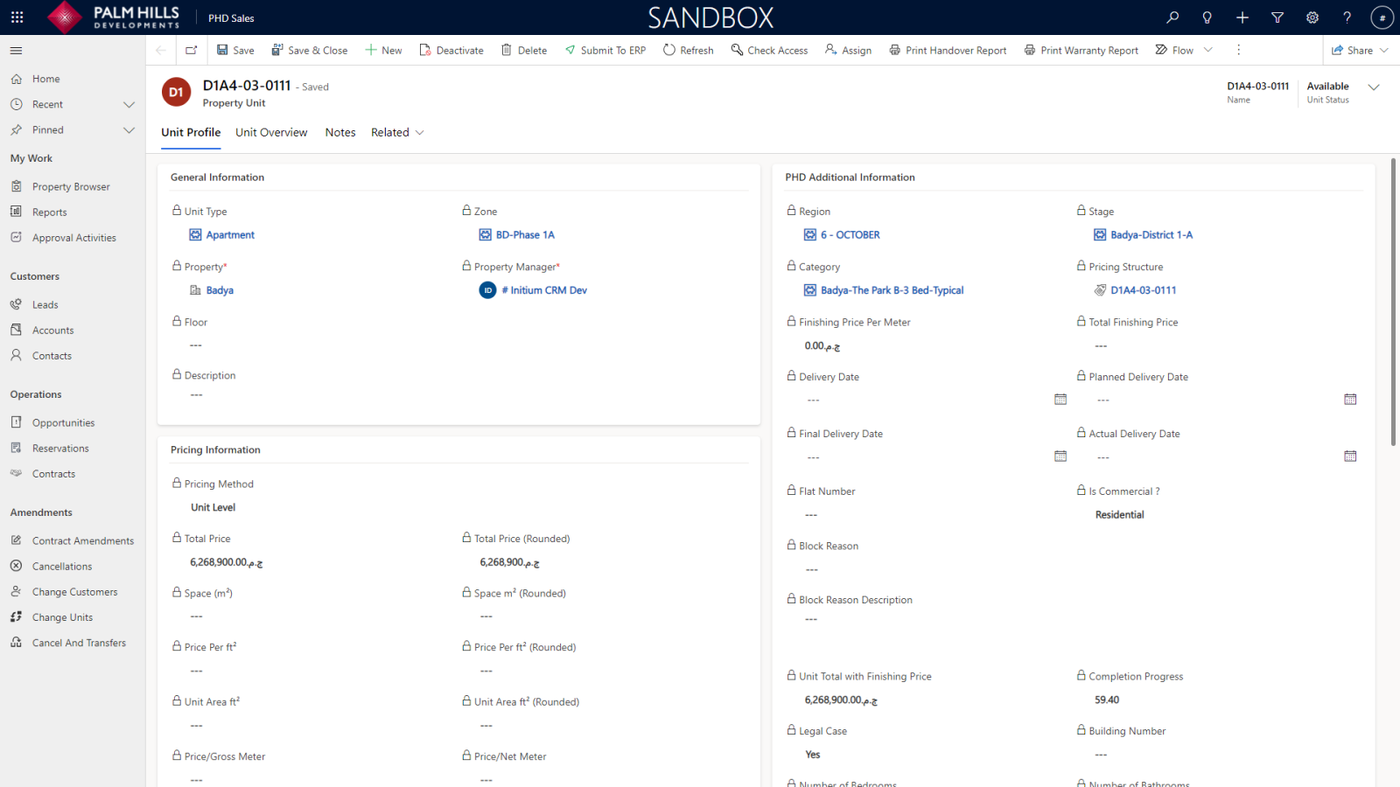
Unit Details
When you click on 'Details,' a new tab will open with unit details, as shown.