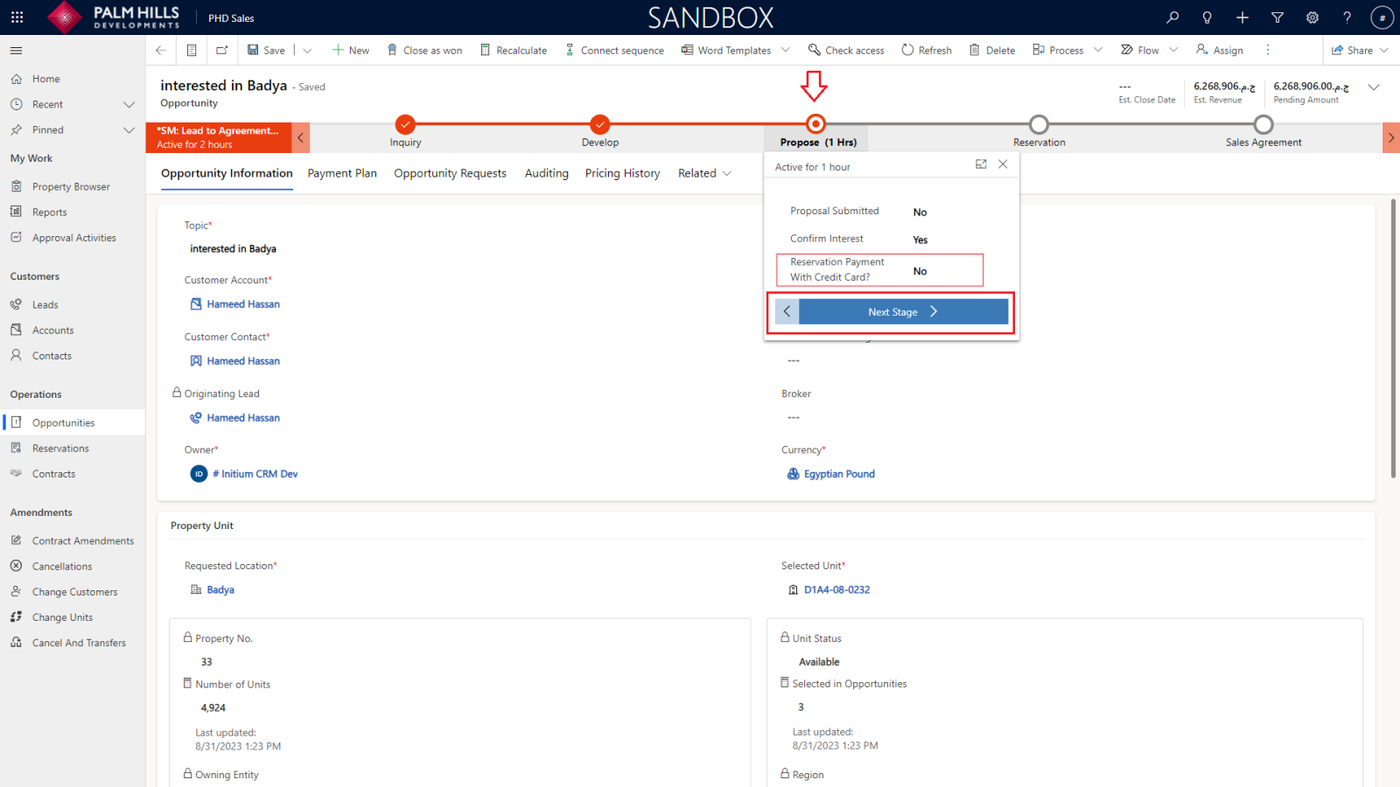
Opportunity
This section describes opportunities where the sales agent can register the sales process updates.
Develop Stage
Once the lead has been qualified, the next step is to determine the specific unit that the customer is interested in. only available units should be displayed to select from.
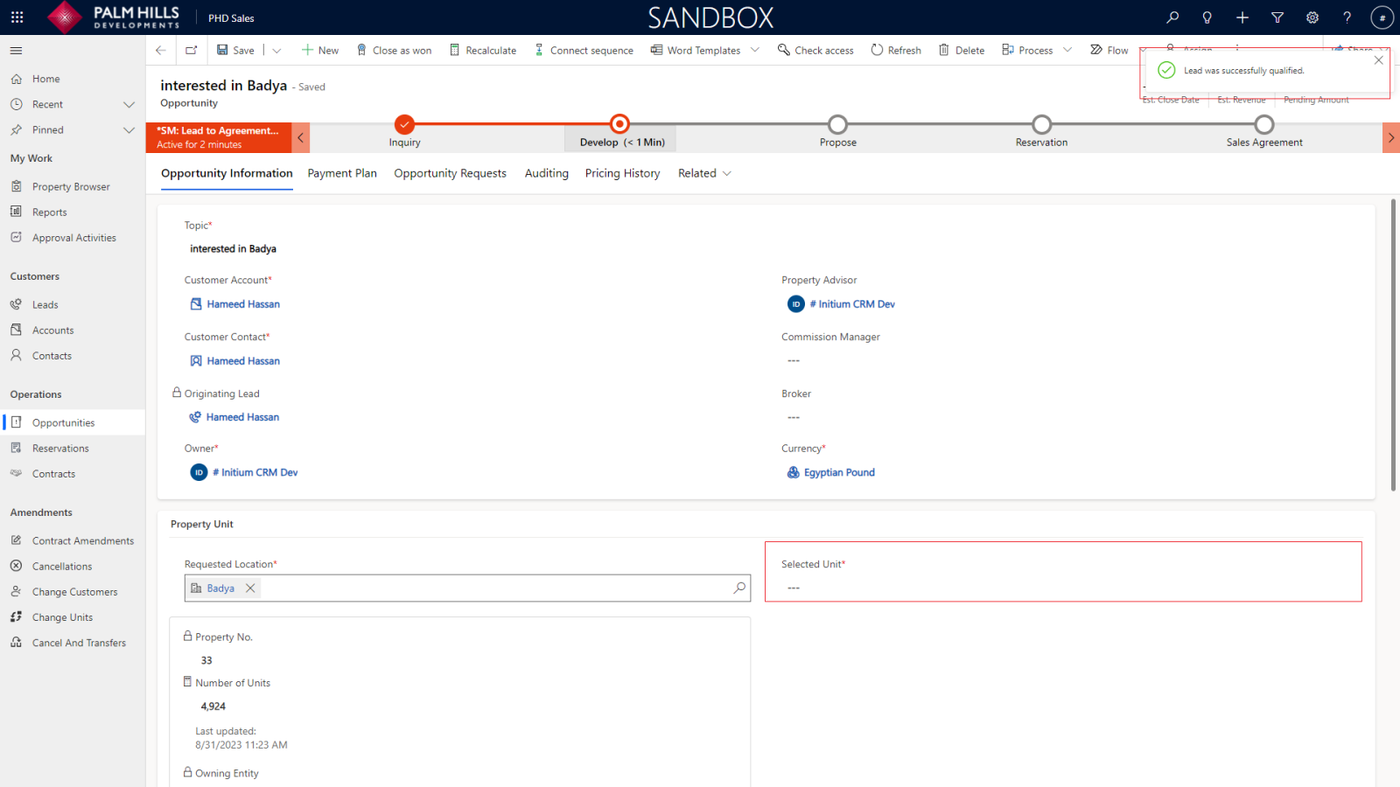
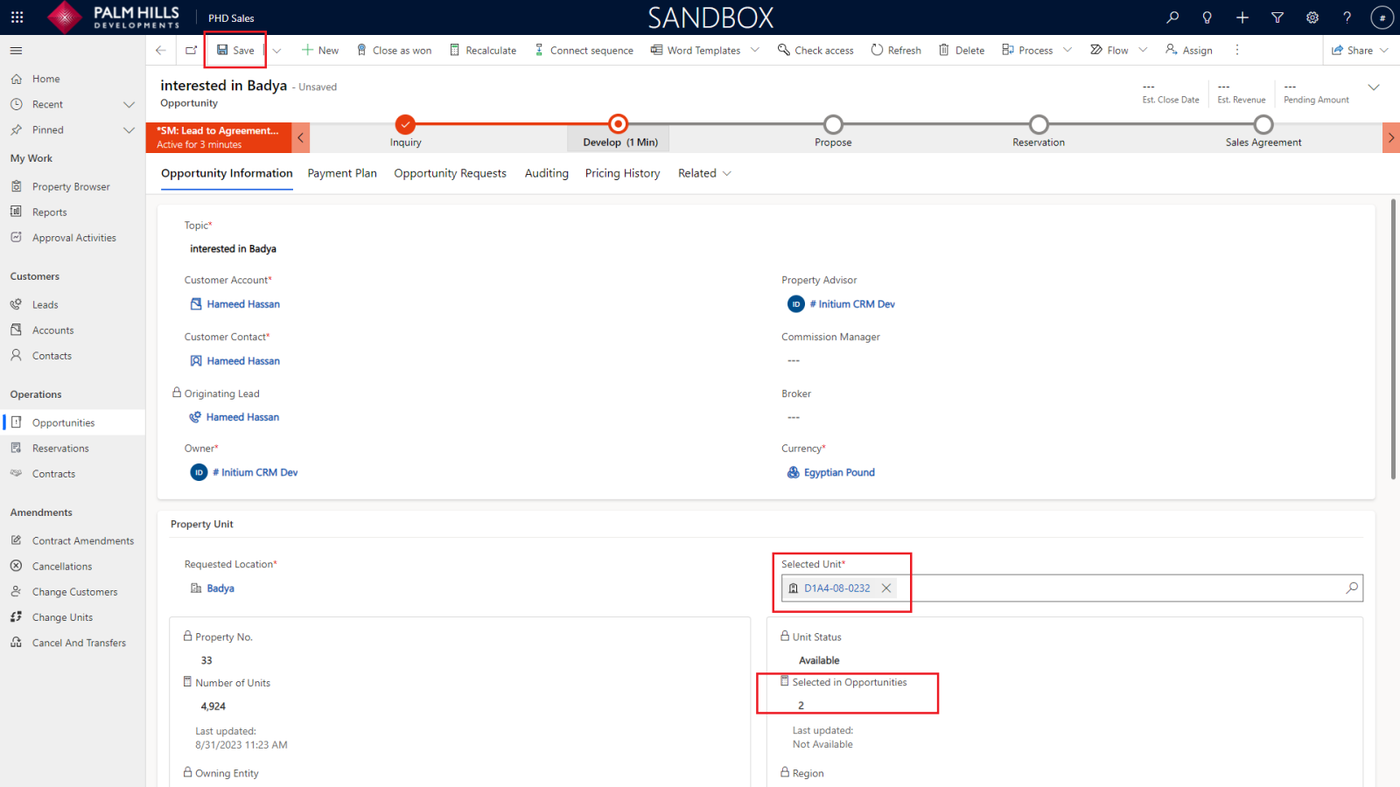
When choosing a unit, it is important to pay attention to the 'Selected in Opportunities' counter, which indicates the number of opportunities that have currently selected the same unit.
This indicator plays a critical role in assisting sales agents in selecting units with lower counter values, effectively preventing their involvement in a process where multiple sales agents are attempting to sell the same unit.
Click the 'Save' button to save the opportunity.
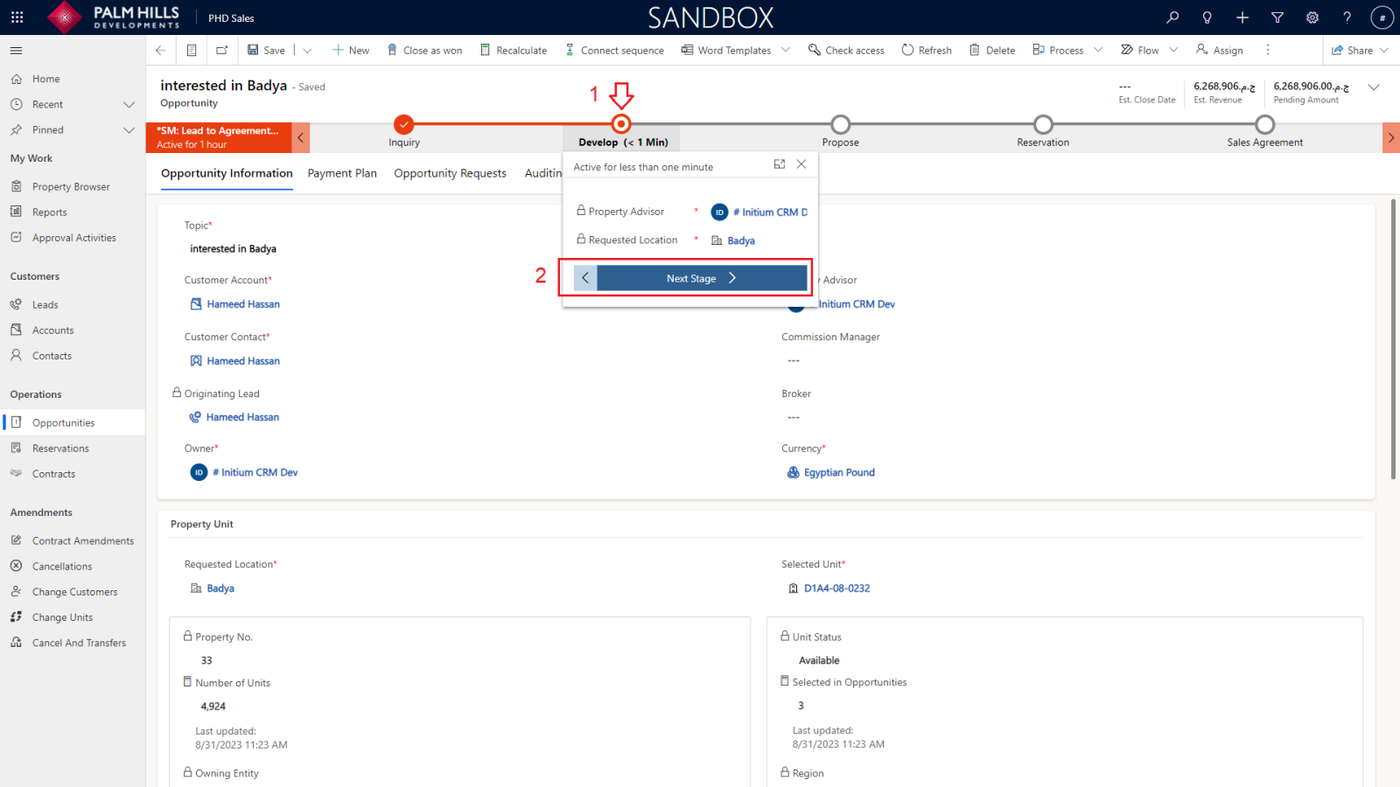
Now you should navigate to 'Propose' step where the payment plan and pricing grid will be automatically set.
Click on 'Develop' stage and then click on 'Next Stage'.
Propose Stage
In the 'Propose' stage, all information is filled through automation. Sales agents do not need to fill in any information.
Click on 'Payment Plan' tab to check the default payment plan, payments and other pricing data for the selected unit.
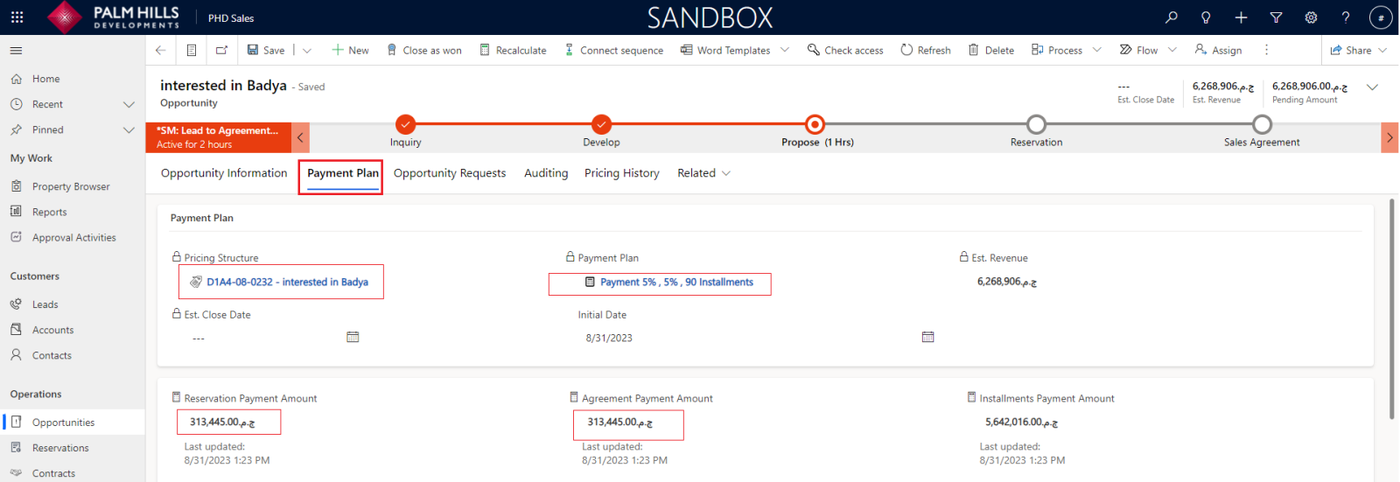
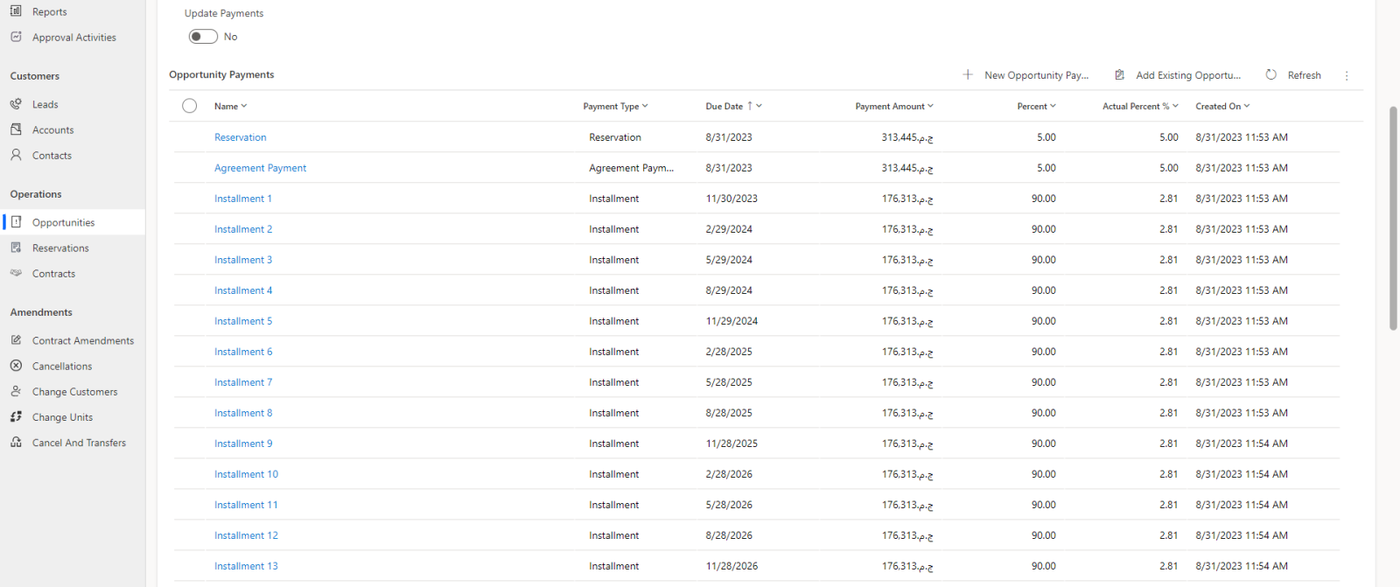
To proceed to the reservation step, click on 'Propose' then click on 'Next Stage'.
- It is important to set the field 'Reservation Payment with Credit Card' to help the sales info team to prioritize the opportunities.
- To help the Sales Info Team prioritize opportunities, it is crucial to set the 'Reservation Payment with Credit Card' field.