Clients list and details
Clients List :
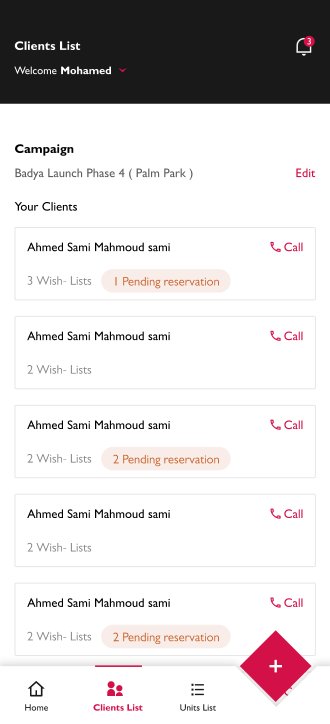
In this screen, the seller client's card has :
-
The client's name
-
The client's phone, the seller can contact him by pressing "Call"
-
The number of wishlists created by this seller for this customer
-
The number of wishlists with a status of "Pending reservation"
Tap on any card to show more details for this client.
Client Details :
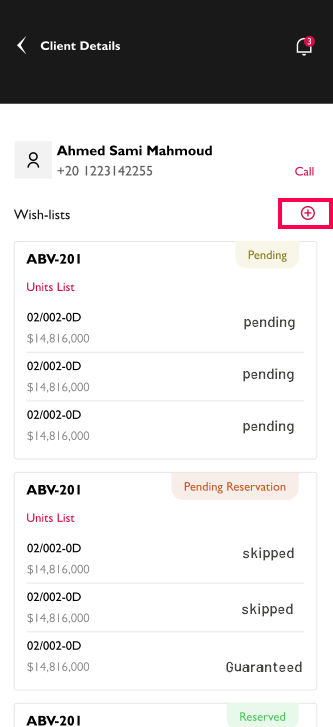
- On this page, the seller can see more details about this customer’s wishlists, such as the name, price, and status of each unit in this wishlist and also the status of the wishlist.
- The seller can contact with customer also by clicking on the "Call" button.
- on this page can add more wishlists to this customer easily without back to the home screen by clicking on the " + " button.
To know how to make a wishlist go to the " Create New Wishlist " section and follow the steps from Step 3