Client Wishlist
Client Wishlist
- In this section, we will describe the process that occurs after the pre-launch starts.
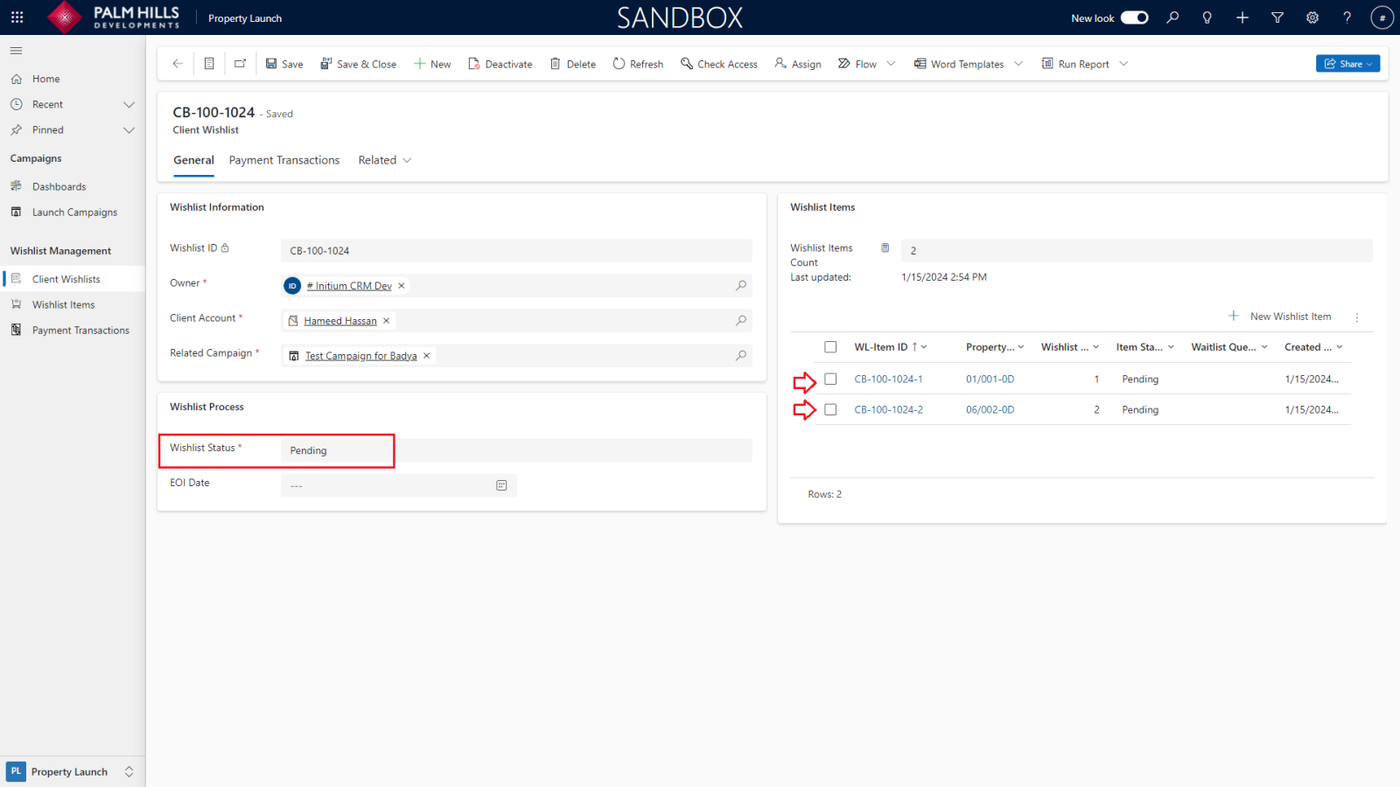
- Sales using the mobile app will start creating wishlists for units, adding ranks to each item.
- As indicated on the right, the(Wishlist Items)are arranged with ranks, and their status is marked as "Pending".
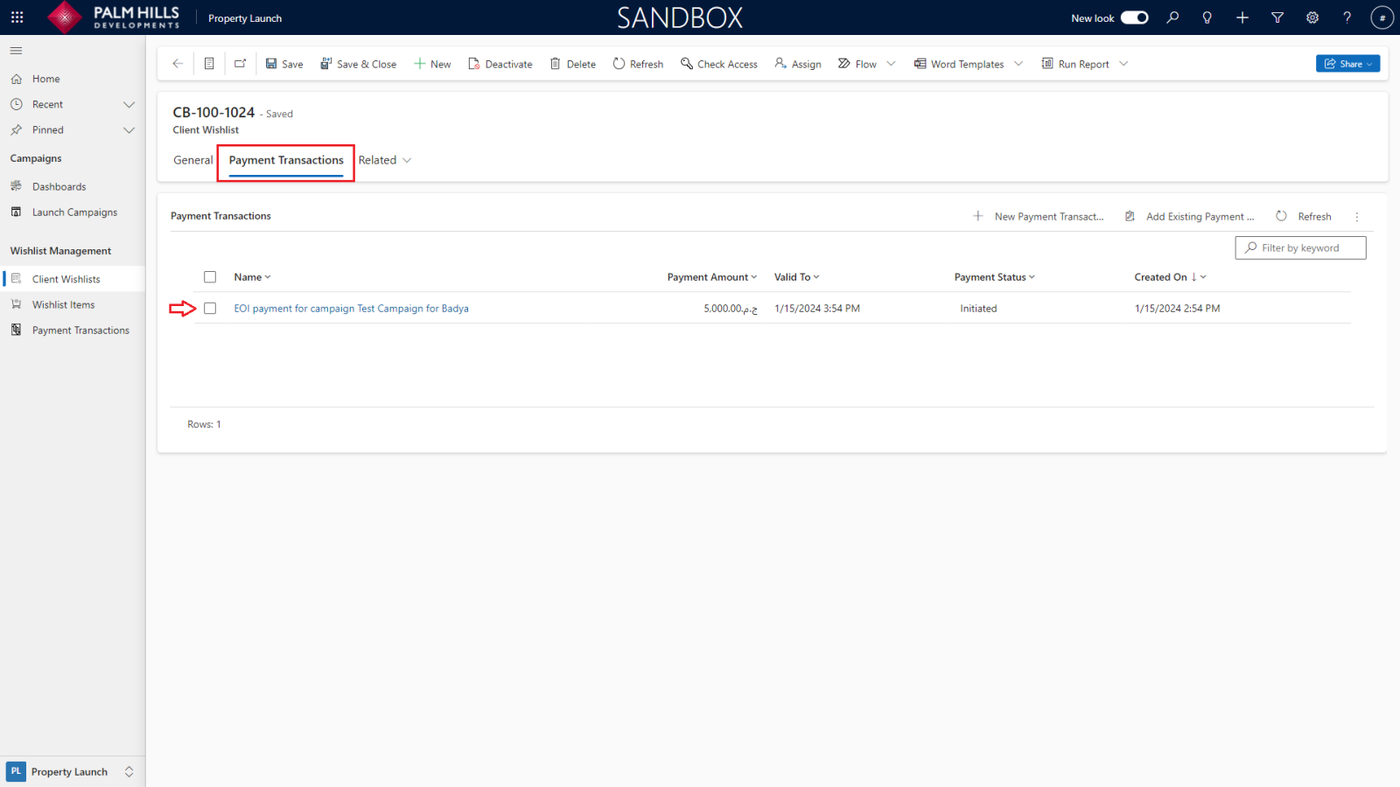
Payment Transactions
- After creating a client wishlist, an automated process generates a payment link and sends an SMS prompting the client to purchase the EOI amount.
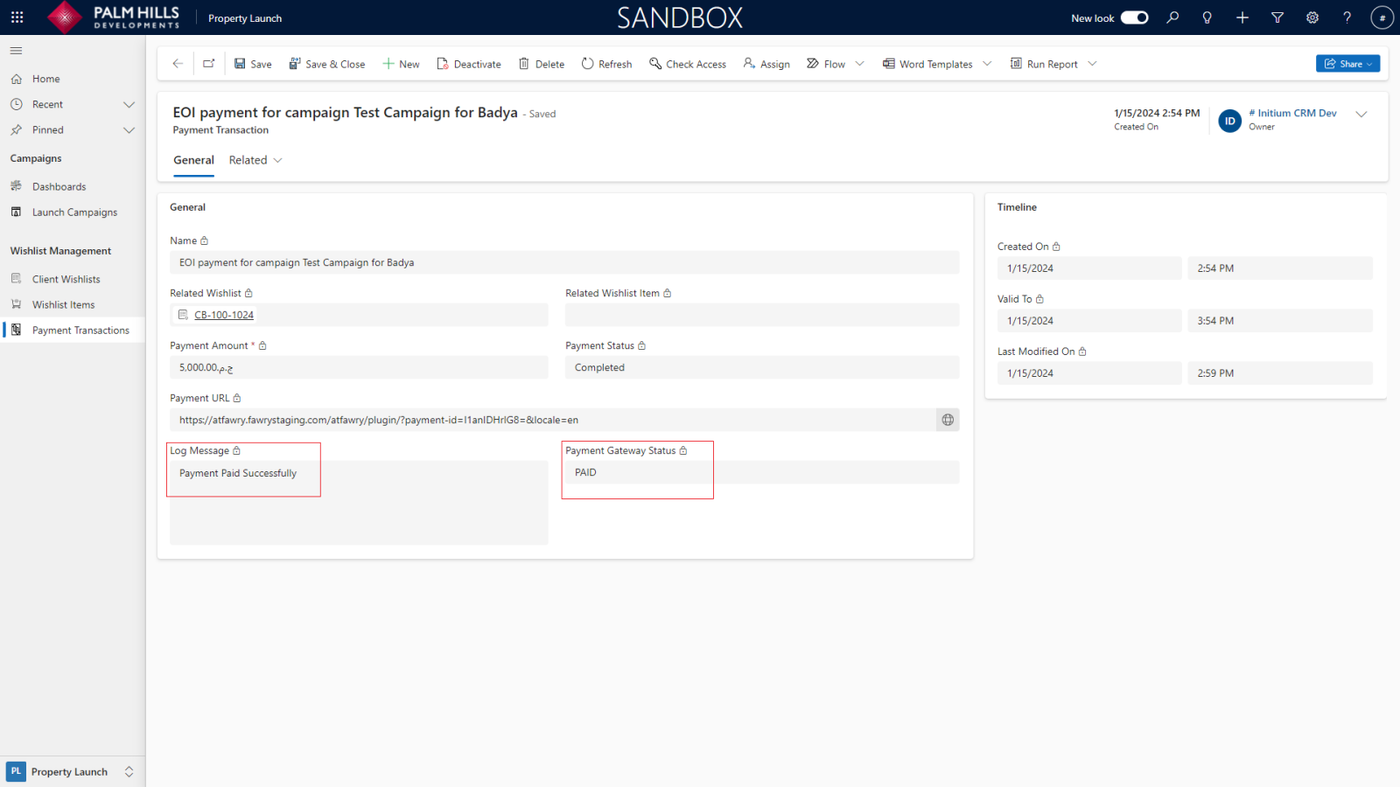
- After making the payment of the EOI amount, the transaction is marked as "Paid"
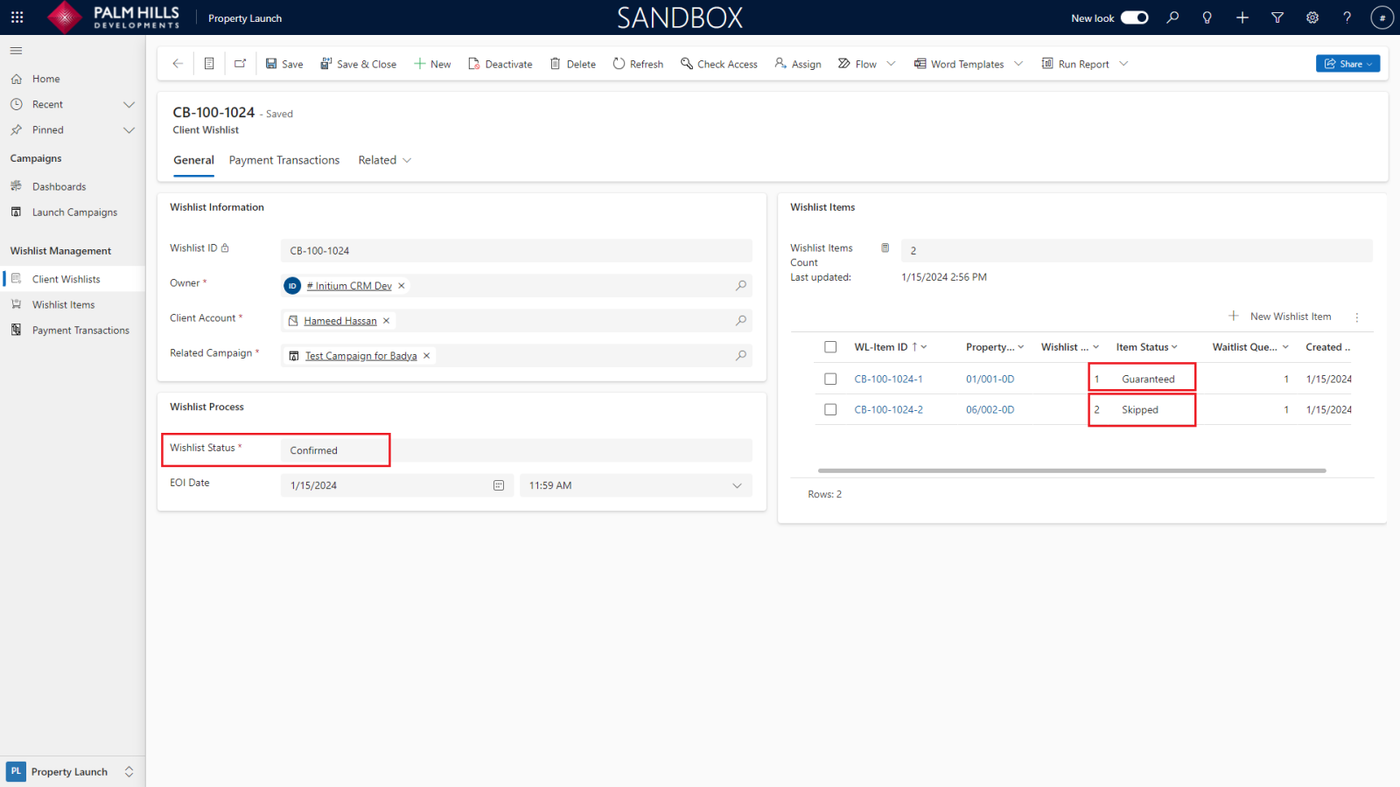
- After payment, when you return to "Client Wishlist", wishlist items can have one of two statuses :
- "Guaranteed" if the wishlist item's rank is "1" and other wishlist items will be marked as "Skipped"
- "Waitlisted" if the rank is other than "1", and if the wishlist item is already reserved by another client, it will be "Skipped" for the current client.
- And (Wishlist Status) will be "Confirmed"
Launch The Campaign
- Now, when the launch campaign starts to be launched, either manually or automatically triggered.
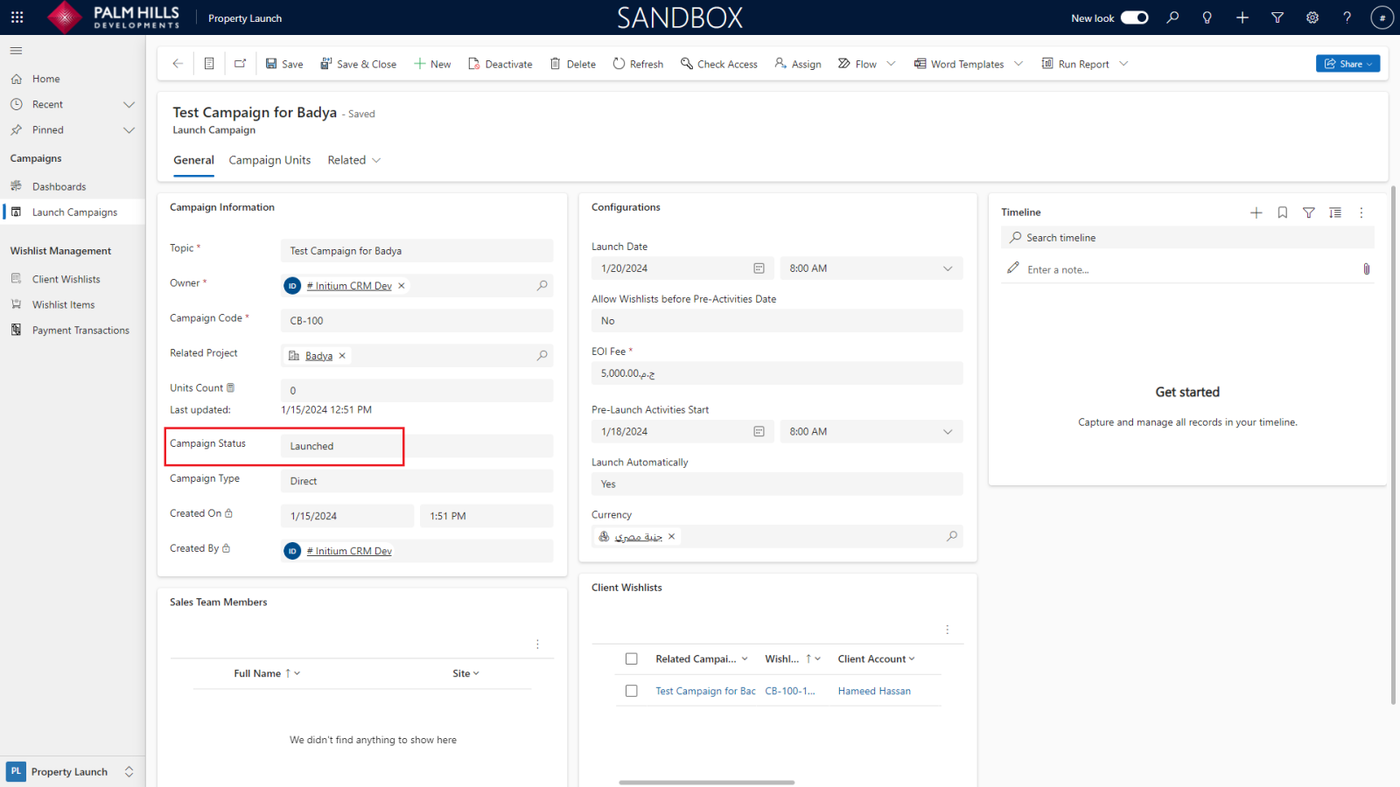
- The Wishlist Items will be "Booked", and concurrently, the unit status will be changed from "Blocked" by sales to "Booked" and the reservation will be created.
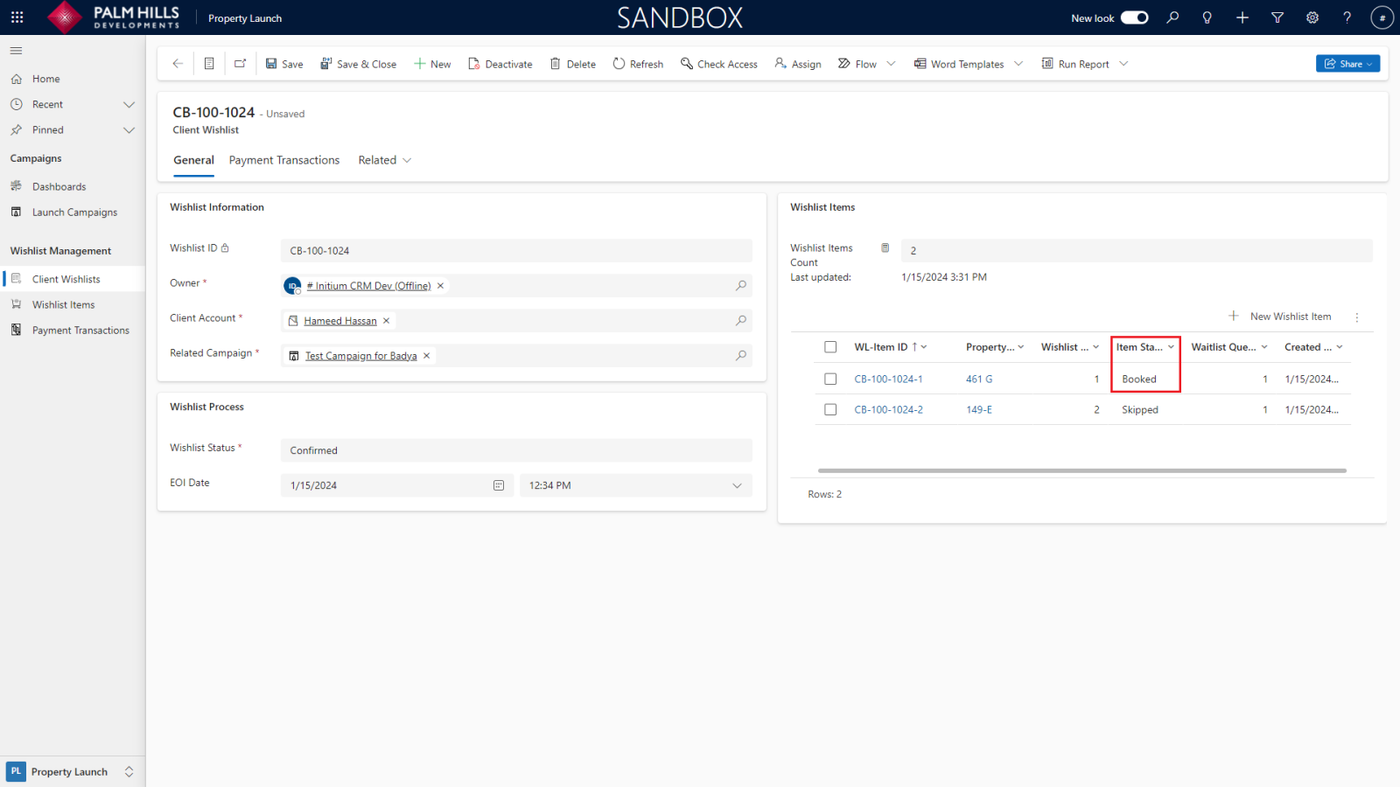
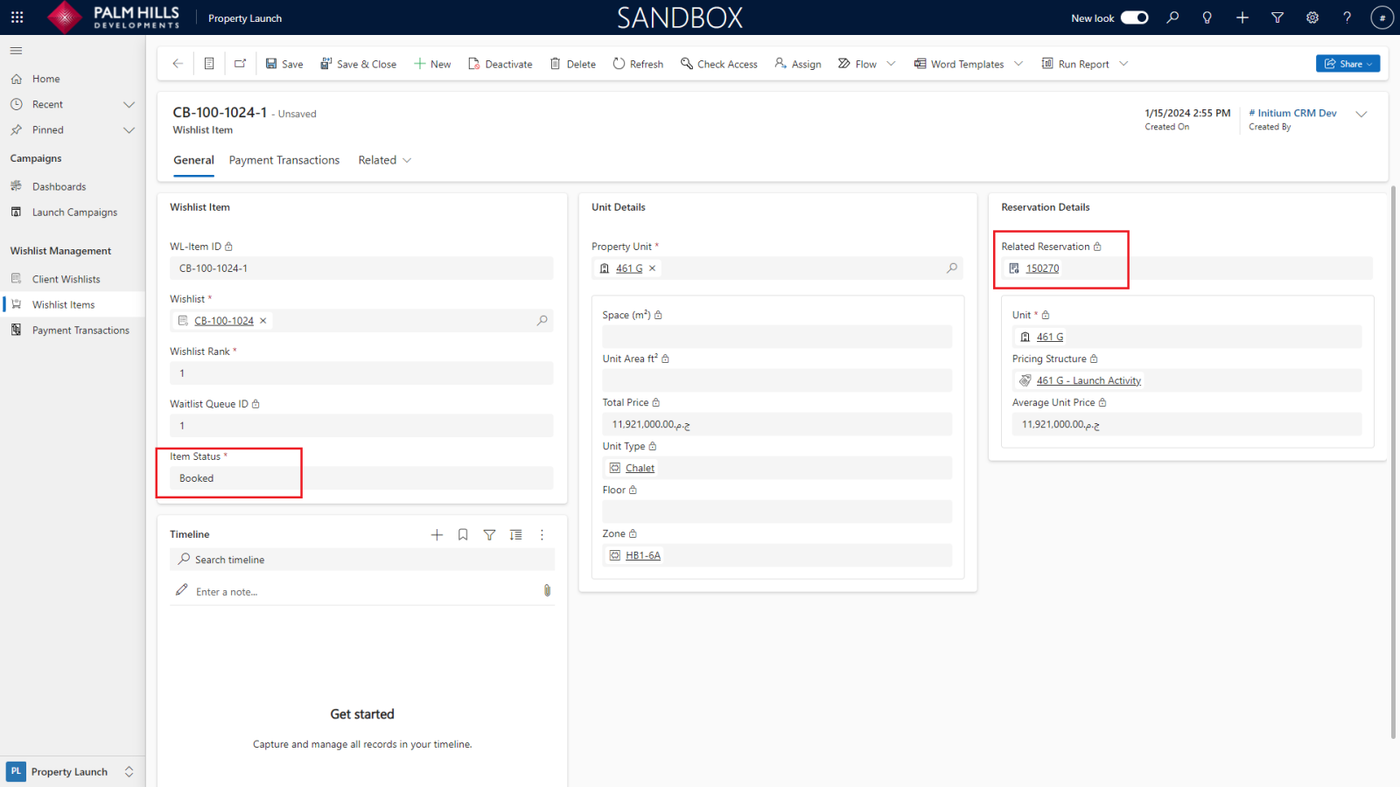
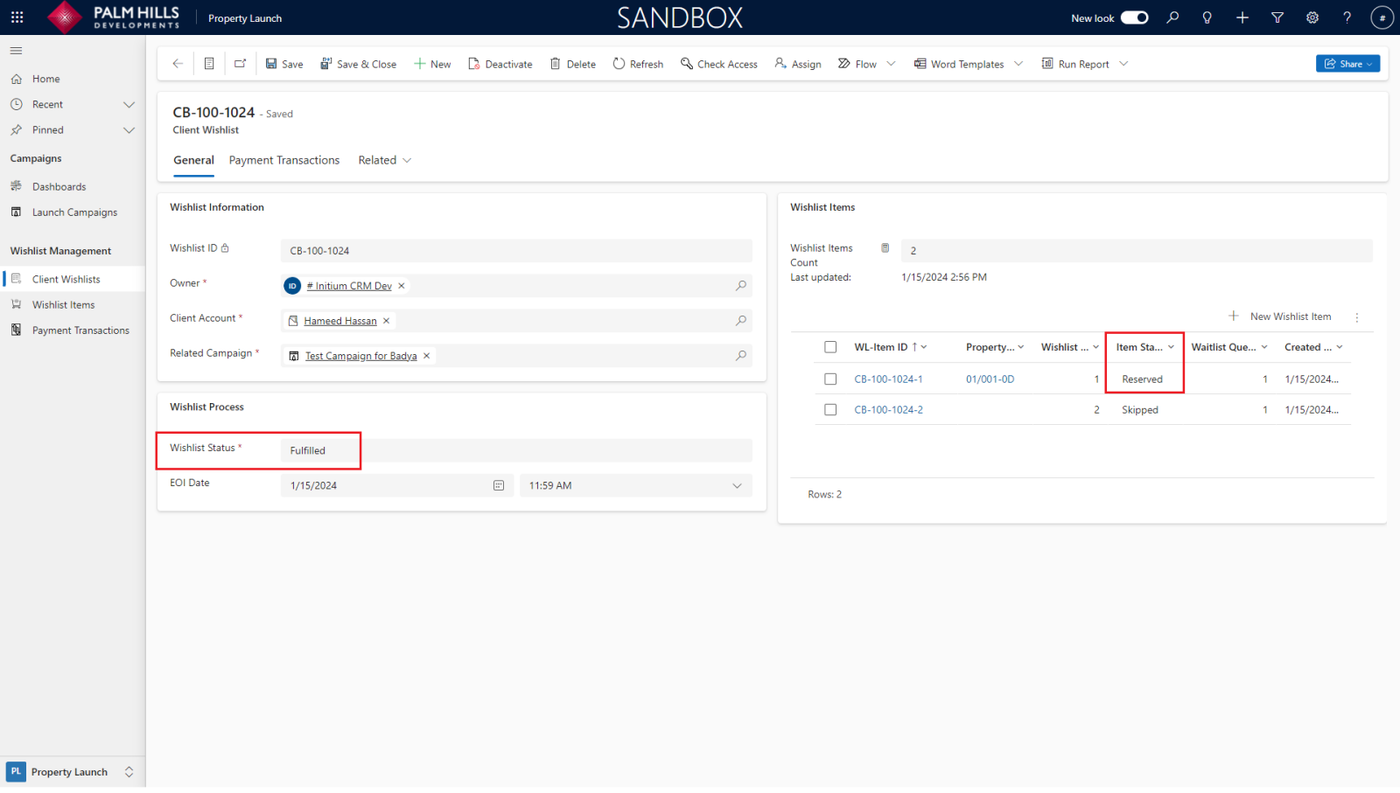
- After the client purchases the reservation amount, the (Wishlist Item) will be marked as "Reserved", and the (Wishlist Status) will be "Fulfilled"
- Simultaneously, the unit status will be updated to "Reserved"
If the client doesn't make the reservation (cancels reservation), the unit will be "Available", the (Wishlist Item) will be labeled as "Missed", and the (Wishlist Status) will be "Cancelled"